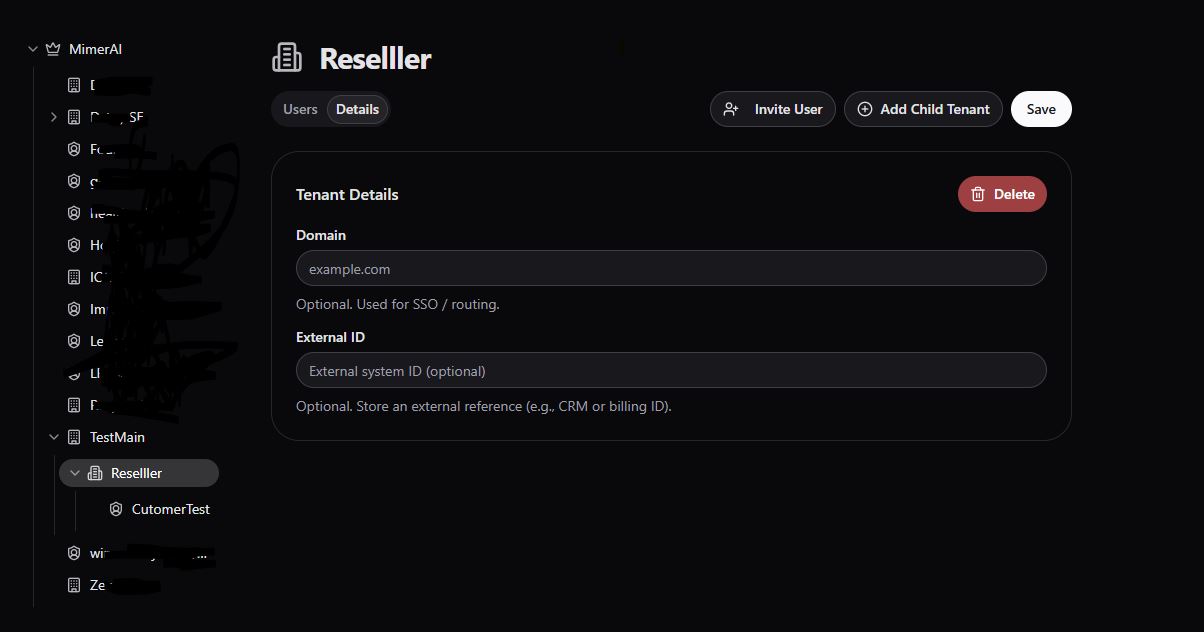
Tenant Management
Intended for Admin users
What’s a Tenant?
A tenant is your main workspace (your company or agency). As an Admin user you can manage it.
That includes the ablity to manage i.e. create, edit & delete its Sub-Tenants and Customers.
As an Admin user of a parent Tenant you are inhenetly an Admin user of a child Tenant either Sub-Tenant or Customer
Creating a Sub-Tenant or a Client
- Go to the Admin tab.
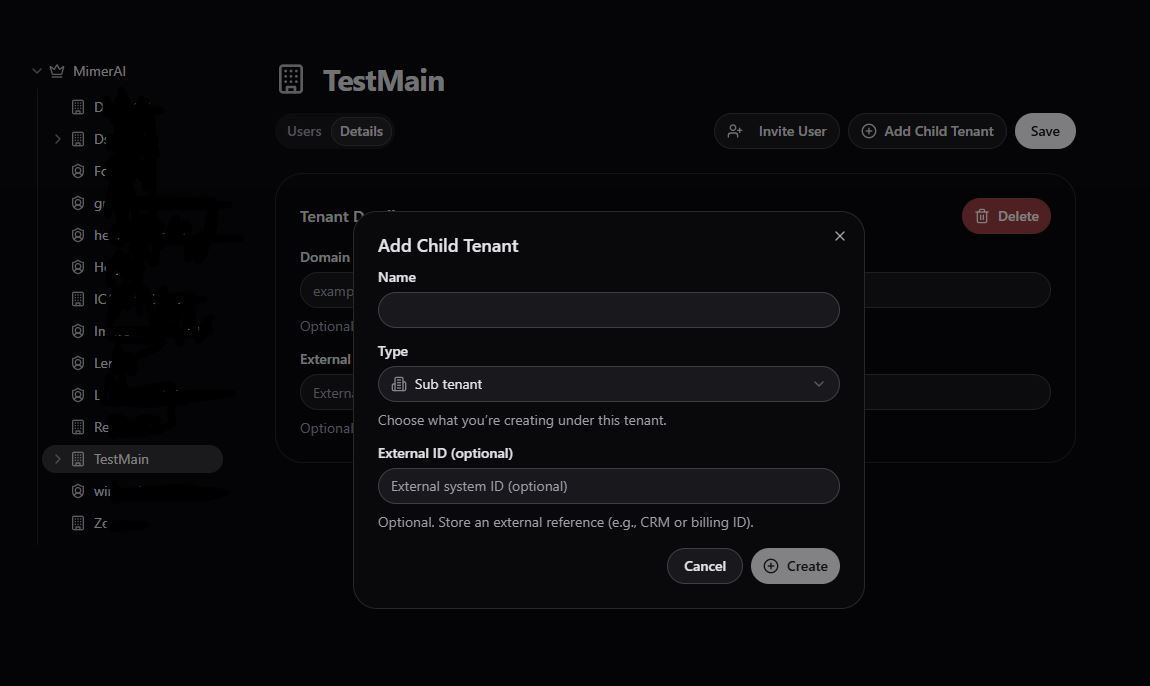
- Click + Add Child Tenant.
- Choose:
- Sub-Tenant → For internal teams, departments, or branches
- Customer → For customers you're building agents for
- Give it a name (e.g. “Marketing Team” or “Client ABC”)
- Optionally you can add External ID
- Click + Create
You can add a Client to the Main Tenant, or one of your Sub-Tenants.
Deleting a Sub-Tenant or a Client
- Go to the Admin tab.
- Navuigate using tree/structure on you left-hand side
- Click on Details tab, click on the buttom Delete